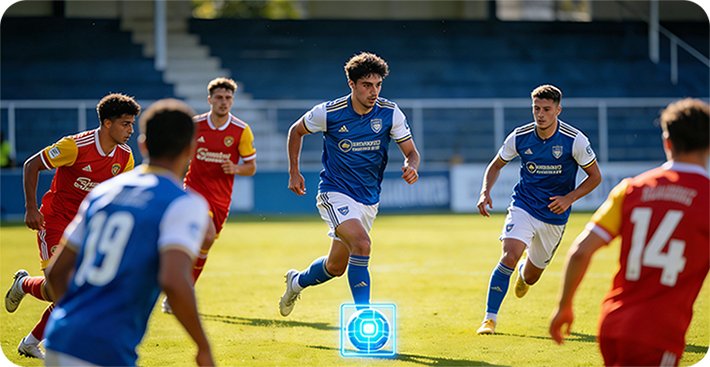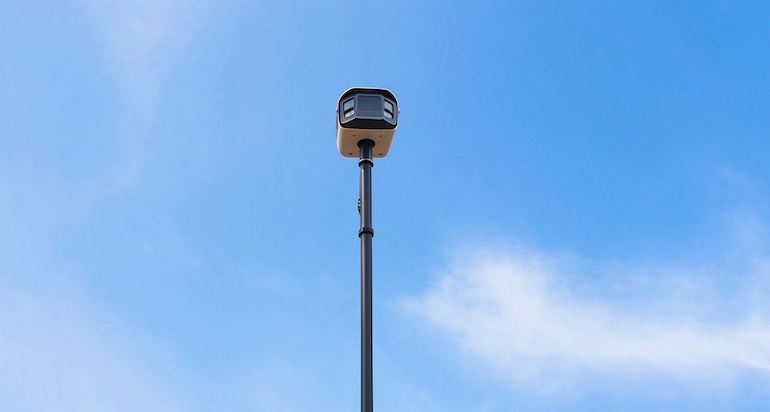
Quick Answer: To live stream football games without a subscription, use a camera that streams directly without a cloud service. OWLREC pushes a 1080p RTMP stream to YouTube and other live-streaming platforms using your iPhone's existing cellular connection — no subscription, and no SIM card in the camera itself. Veo also live streams, but it requires an active Veo subscription, and the camera needs its own cellular uplink — which in practice means either moving your phone's SIM card into the camera or paying for a separate data plan.
Grandparents in another city, a scout who cannot make the trip, teammates stuck at home — there are plenty of reasons to broadcast a youth or amateur football match live. The two best-known 180° AI sports cameras, Veo and OWLREC, can both do it. But they get there in very different ways, and the differences matter most in two places: your monthly budget and your match-day setup. This article compares the two approaches on the publicly available facts; for the broader picture beyond streaming, see our full OWLREC vs Veo camera comparison.
Live Streaming: OWLREC vs Veo at a Glance
| Veo | OWLREC | |
|---|---|---|
| Subscription required for live streaming | Yes — active Veo subscription required | No — one-time camera purchase |
| Cellular uplink for the camera | Camera needs its own uplink — move the phone's SIM into the camera, or a separate data plan | No — uplink uses the iPhone's own cellular connection |
| Mid-stream view switching | Follow-cam view | Yes — 180° panoramic or follow-cam, switchable live |
| Auto/manual control during the stream | Automated follow-cam | AI auto-tracking and manual joystick, switchable live |
| Stream and record simultaneously | Yes | Yes — full-quality local recording continues |
| Stream quality | 1080p | 1080p |
1. Live Streaming With No Subscription Fee
This is the single biggest difference between the two cameras, so it comes first. Veo's live streaming is a feature of its cloud platform, and the platform is sold as a subscription: no active subscription, no live stream. Over a single season that recurring cost typically exceeds what most families expect to spend on broadcasting their kid's matches.
OWLREC works differently because nothing in its pipeline depends on a cloud server. The auto-tracking video is generated on the user's own iPhone (that is the core idea behind the no-subscription pricing model), and live streaming is simply the phone pushing that video out over RTMP. The camera is a one-time purchase; once you own it, streaming a match costs you nothing beyond your phone's ordinary mobile data.
To be fair to Veo, the subscription buys more than streaming: a managed cloud platform, online sharing for the whole club, browser-based editing and optional analytics. Clubs that want all of that bundled may find the fee reasonable. The point here is narrower — if live streaming is the goal, a subscription is optional only on one of these two cameras.
2. No SIM Card in the Camera — the iPhone Provides the Uplink
A live stream needs an internet uplink, and where that uplink comes from is the second practical difference. Veo's camera needs its own cellular connection for live streaming. In practice that means either taking the SIM card out of your phone and putting it into the camera before kickoff — and remembering to move it back afterwards — or paying for a separate data plan dedicated to the camera.
OWLREC's camera carries no SIM card and no data plan of its own. The camera feeds the video to the connected iPhone, and the phone streams it out using its existing cellular connection. To be precise: the iPhone obviously still has its own SIM and mobile plan, as any phone does — the saving is that you are not paying for a second data plan dedicated to the camera. If you can stream video from your phone at the pitch, you can stream the match.
3. Switch Views Mid-Stream: Panoramic or Follow-Cam
Because OWLREC records the entire pitch in a single 180° panoramic capture, both versions of the picture exist at once: the wide panoramic view showing everything, and the auto-tracking follow-cam view that zooms in on the action. During a live stream you can switch between the two views on the fly — wide for a set piece or a tactical phase, tight follow-cam for open play — without interrupting the broadcast. Viewers get a directed broadcast rather than a single fixed framing.
4. Auto-Tracking or Manual Control — Switchable Live
The same flexibility applies to who is “directing” the stream. Leave it to the AI auto-tracking and the virtual camera follows the play on its own; or take manual control with the on-screen virtual joystick and frame exactly what you want — the winger you came to watch, the bench reaction, the celebration after a goal. Release the joystick and the AI takes over again. The switch happens live, mid-broadcast, with no cut in the stream. This is the same seamless mechanism described in our article on switching between automatic and manual tracking, applied to a live audience instead of a post-match replay.
5. Stream and Record at the Same Time
Live streaming depends on the quality of the cellular connection at the pitch, and sideline coverage is not always kind. OWLREC therefore keeps a full-quality local recording running while it streams. If the network dips, the audience may see a softer stream for a moment, but your saved match file is unaffected — the complete 180° panoramic recording is still there afterwards for analysis, highlights or re-framing. Veo likewise records while streaming, so on this point the two cameras are comparable; the difference remains what you pay each month for the privilege.
How to verify this comparison
Feature claims for both cameras come from the manufacturers' own published documentation and pricing pages, current as of October 2026. Plan limits and live-streaming requirements can change, so confirm them on each vendor's website before buying. Full source list follows the conclusion.
Who Is This For?
Veo's live streaming suits clubs that want a fully managed cloud platform. If your club already runs on Veo — browser access for the whole staff, centralized online sharing, analytics add-ons — then live streaming through the same subscription is convenient, and the SIM arrangement is a manageable club routine.
OWLREC suits parents, grassroots teams and schools who want to broadcast without an ongoing cost. If the goal is simply to get the match in front of family and friends — and to own the full-quality footage afterwards — the one-time purchase, the absence of a camera SIM plan, and the freedom to stream to YouTube and other platforms make it the lower-commitment option. You can review the full OWLREC feature list or contact the team for streaming details.
Frequently Asked Questions
Can you live stream football games without a subscription?
Yes. OWLREC live streams with no subscription at all — the camera is a one-time purchase and live streaming is included. Veo's live streaming requires an active Veo subscription.
Does the camera need its own SIM card or data plan to live stream?
With OWLREC, no. The camera itself carries no SIM card and no separate data plan; the stream's uplink uses the iPhone's existing cellular connection — the iPhone obviously still has its own SIM and mobile plan, as any phone does. Veo's camera needs its own cellular connection for live streaming, which in practice means either moving the phone's SIM card into the camera or paying for a separate data plan.
Can you switch between the panoramic view and the follow-cam view during a live stream?
Yes. During an OWLREC live stream you can switch between the full 180° panoramic view and the auto-tracking follow-cam view at any time, without interrupting the broadcast.
Can I take manual control of the framing while live streaming?
Yes. While streaming, OWLREC lets you leave the framing to the AI auto-tracking or take manual control with the on-screen virtual joystick, and switch between the two seamlessly mid-stream.
What quality is the live stream, and which platforms are supported?
OWLREC streams at 1080p using a standard RTMP push, so it works with YouTube and other live-streaming platforms that accept RTMP ingest. Local recording continues at full quality while streaming, so the complete match file is kept regardless of network conditions.
Conclusion
Both cameras can put a match in front of a remote audience in 1080p while recording locally — the live-streaming experience itself is closer than the marketing on either side suggests. The honest differences are structural: Veo streams as part of a subscription-based cloud platform and typically needs a SIM plan in the camera, while OWLREC streams over RTMP through the iPhone you already carry, with no subscription, no camera SIM, and live switching between panoramic and follow-cam views and between AI and manual control. Clubs invested in a managed platform will weigh that against Veo's ecosystem; everyone streaming for family, friends and recruiters will notice the missing monthly bill first.
Sources
Features, limitations and pricing in this article were checked against the following official pages:
- Veo subscription pricing page — subscription required for platform features including live streaming
- Veo Help Center — live-streaming setup and connectivity requirements for the camera
- YouTube Help Center — live streaming with an RTMP encoder (server URL and stream key)
- OWLREC official website — 1080p RTMP live streaming, iPhone cellular uplink, view and auto/manual switching, simultaneous local recording and one-time purchase pricing
Further reading on this site: OWLREC vs Veo compared, the no-subscription cost advantage, and seamless auto and manual tracking switching.